How to Record Congas on iPhone
To record congas on iPhone, open SONGTAKE and place the phone above and between the drums, about a foot up, then record. SONGTAKE captures the open tones and slaps in true stereo, layers patterns, and syncs to Mac for mixing.
This is YOU?
The sharp slap tone turns harsh and clicky up close.
You want a full percussion groove but only two hands.
The deep tumba booms and buries the crisp open tones.
You can't hand your band a clean conga track for the mix.
Pro Tip: TIP: Set your iPhone above and between the drums about a foot up, not right on one head, so SONGTAKE catches the open tones, slaps, and the deep tumba together in balanced true stereo across the whole set.
Frequently Asked Questions
How do I record congas on iPhone?
Open SONGTAKE and set the phone above and between the drums, about a foot up, so it hears the whole set. SONGTAKE captures the open tones and slaps in true stereo, and you can overdub bells or shakers to build a full percussion groove.
Why do my congas sound harsh and clicky?
A mic right on the head picks up too much slap attack. Raising the phone a foot above and between the drums smooths it out. SONGTAKE then captures a warm, balanced conga tone across the set.
How do I record a full percussion section?
Layer it. Record a tumbao pattern first, then overdub bells and shakers on separate tracks, or set a phone by each player and let SONGTAKE auto-sync the takes. Either way you build a full section, all in sync on your iPhone.
Can I isolate the congas from a Latin recording?
Yes. SONGTAKE's AI stem splitting separates instruments from any recording, so you can lift a clean conga groove out of a band track or remove it to practice with the group.
How do I keep the tumba from booming?
Keep the phone about a foot above the heads rather than close to the low drum, so the deep tones settle behind the slaps. SONGTAKE captures a balanced set, and you can shape the low end on Mac.
What makes SONGTAKE different from voice memos?
SONGTAKE records in true stereo with automatic cloud backup, project organization, and multi-track capabilities. Unlike voice memos that create a graveyard of unnamed files, SONGTAKE keeps everything organized, synced across devices, and ready to develop into full productions.
Can I use SONGTAKE with just one phone?
Absolutely! SONGTAKE works perfectly with a single phone for recording arrangements, backing vocals, and layered instruments. While multiple phones provide multi-angle coverage and better isolation, one phone is sufficient to create professional multi-track recordings with video overdubbing.
Can I use SONGTAKE for professional music recording?
Absolutely! SONGTAKE allows you to effortlessly move from mobile recording to professional desktop production. Begin capturing your song ideas on your iPhone, then open the same project on a Mac with a 64-channel interface for mixing and mastering. It's the perfect tool to transform your inspiration into a polished production.
How does multi-phone recording work?
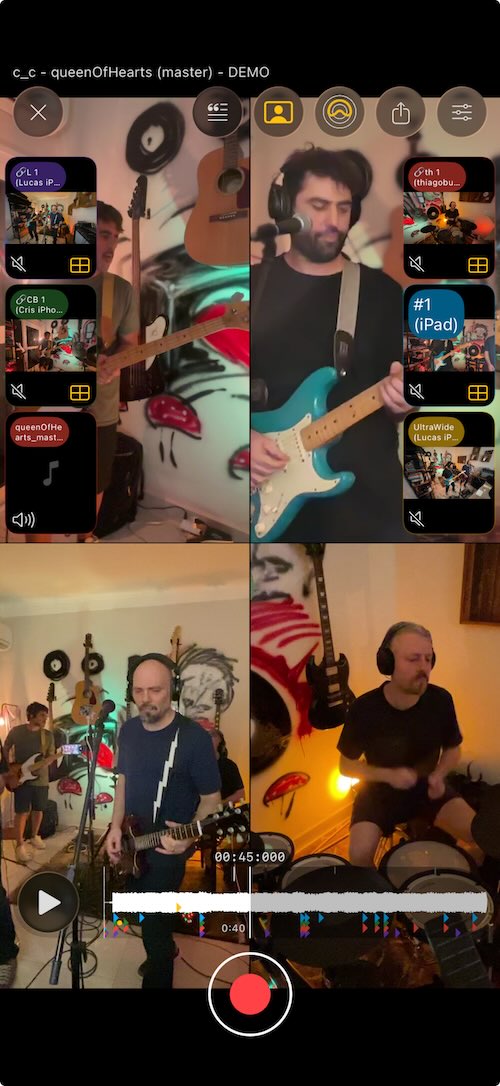
Place phones near each instrument for dedicated microphones. One tap starts all phones simultaneously, and they automatically sync after recording. No manual alignment needed—just position phones, hit record, and get professional multi-track isolation from devices you already own.
Ready to Get Started?
Download SONGTAKE and start recording professional-quality music today. No credit card required.
Built by musicians who were tired of voice-memo graveyards.